
September-October developments
Microsoft Teams is introducing several new features this month. Among the most notable changes is the ability to pop out channels into separate windows, making it easier to follow multiple conversations at once. Group chats now include a Notes tab, allowing participants to collaborate on agendas and action items in real time, with all updates automatically synced across devices.

For meetings, Teams Rooms on Windows are gaining role-specific views for town halls and webinars, giving presenters and attendees different layouts for a more polished experience.
Microsoft is also expanding its AI-powered calling features — including Call Recap and Calling Copilot — to automatically generate summaries and action points after calls.
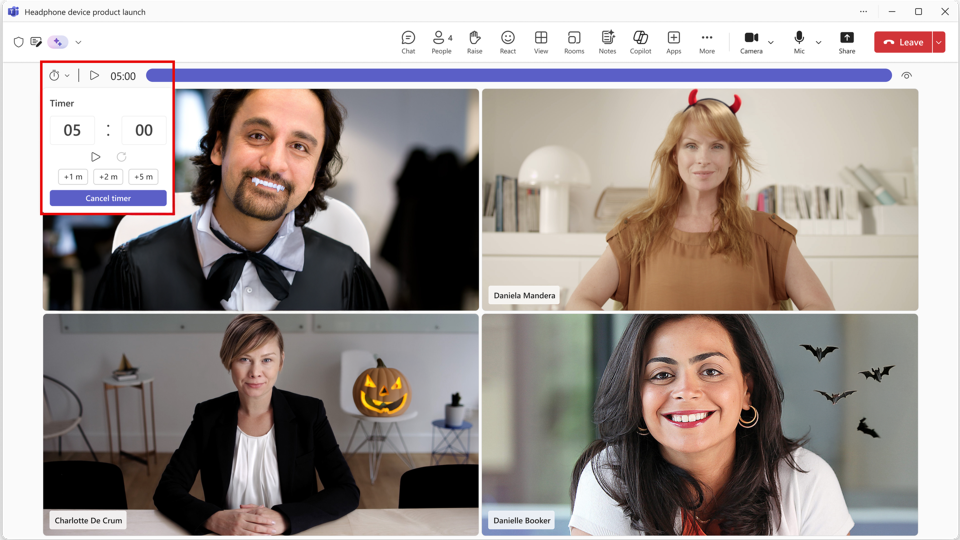
Teams now includes a built-in countdown timer to help keep meetings on track. Any participant can add a visual timer (up to 100 minutes) directly from the More menu.
Teams has introduced a new Controls button on the meeting toolbar, providing organisers and co-organisers with streamlined access to essential meeting settings, including participant management and security options.
Google Meet now offers live captions in Cantonese, allowing participants to view real-time transcriptions of spoken dialogue.
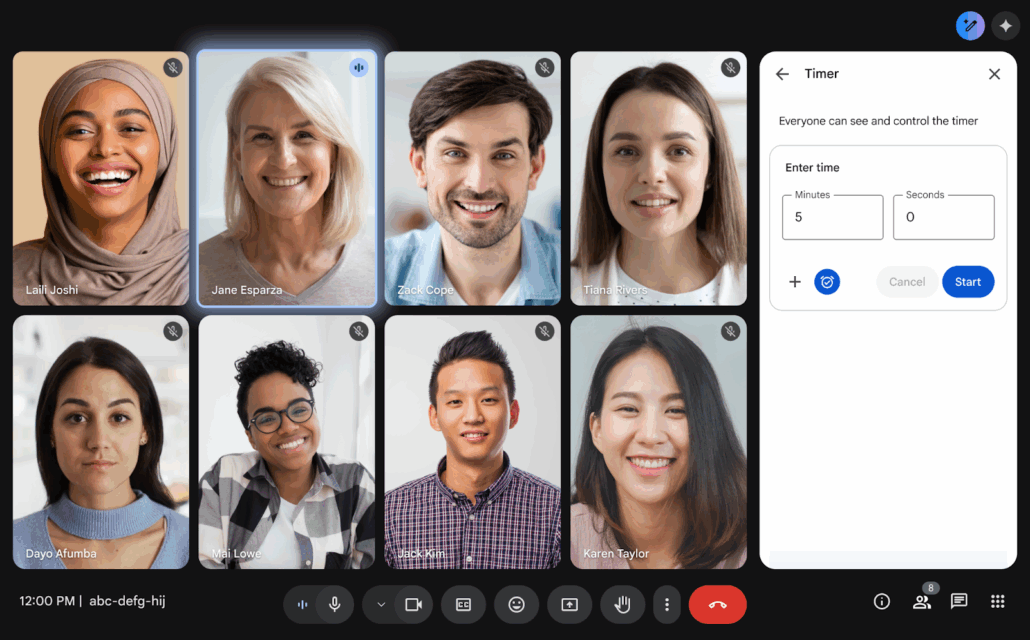
The platform also introduces meeting timers in the sidebar, letting hosts and participants start, pause, or cancel a shared timer to help keep discussions focused and on schedule.
Additionally, users can now create custom backgrounds using Gemini on Android and iOS devices, enabling a more personalised meeting experience.
In October, Zoom have several practical updates. The highlight is AI Companion 3.0, which can now perform tasks such as scheduling meetings, generating documents, and providing real-time summaries.
Zoom Clips and AI Avatars provide hosts with new ways to engage participants — allowing them to record video messages or use avatars to greet attendees. The mobile app has also been enhanced with a voice recorder that automatically transcribes and summarises meetings.
Event organisers can now send post-session surveys to in-person attendees who checked in.
Zoom Events now display more relevant session information in the lobby: before the event, featured sessions appear first; during the event, live sessions take priority, followed by upcoming, featured, and other sessions.
Are you planning an online meeting or event and need urgent advice?

Our ConfTech Help desk provides countries and organisations with immediate advice on how to organise and run online meetings and events. Get in touch with us at [email protected].
Stay up to date!
Subscribe to ConfTech Monthly Digest to receive updates and trends on the future of meetings.
The latest from Diplo and GIP
Tailor your subscription to your interests, from updates on the dynamic world of digital diplomacy to the latest trends in AI.
Subscribe to more Diplo and Geneva Internet Platform newsletters!
Diplo: Effective and inclusive diplomacy
Diplo is a non-profit foundation established by the governments of Malta and Switzerland. Diplo works to increase the role of small and developing states, and to improve global governance and international policy development.


